

Create an Insights session
Insights uses a protected backup snapshot, not the live Windows source. This step continues with the first snapshot and device-inventory.csv.
Before you start
- The first snapshot is Available and contains
insights\device-inventory.csv. - A default Agent model is configured and ready.
- A Public Data Gateway is available in the current environment.
- Your account can create an AI Copilot session.
Open the New Chat page
- Open Insights → AI Copilot.
- Select New Chat above the session list. For a first-time account, the main panel may show Start New Chat instead.
Select the backup data
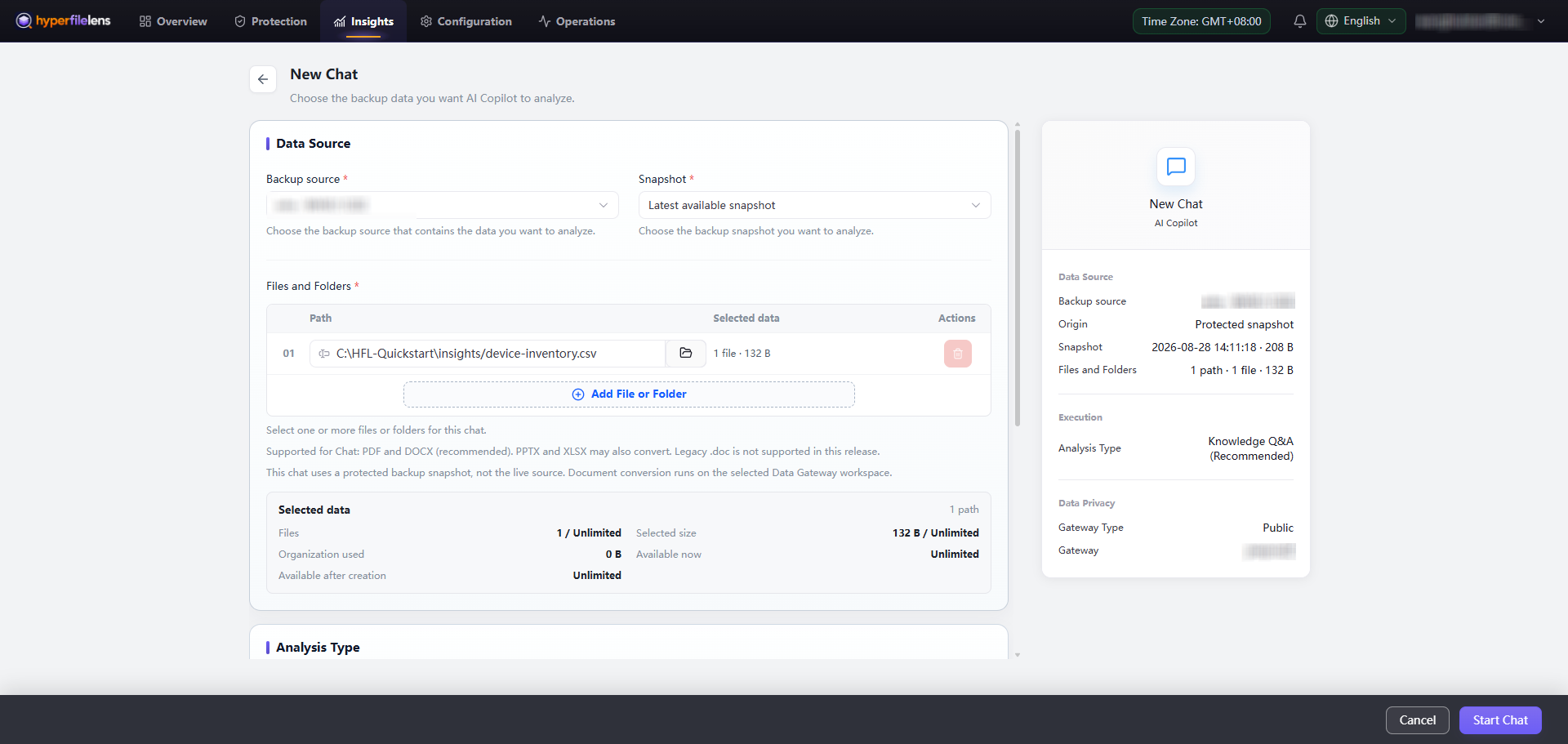
- Under Data Source, select the backup source used for the first backup.
- Select the same verified snapshot, or keep Latest available snapshot and confirm that it is the snapshot from this run.
- Under Files and Folders, add
C:\HFL-Quickstart\insights\device-inventory.csv. - Confirm that the summary shows Protected snapshot and a scope of one file and 132 B.
Choose the analysis type and Data Gateway
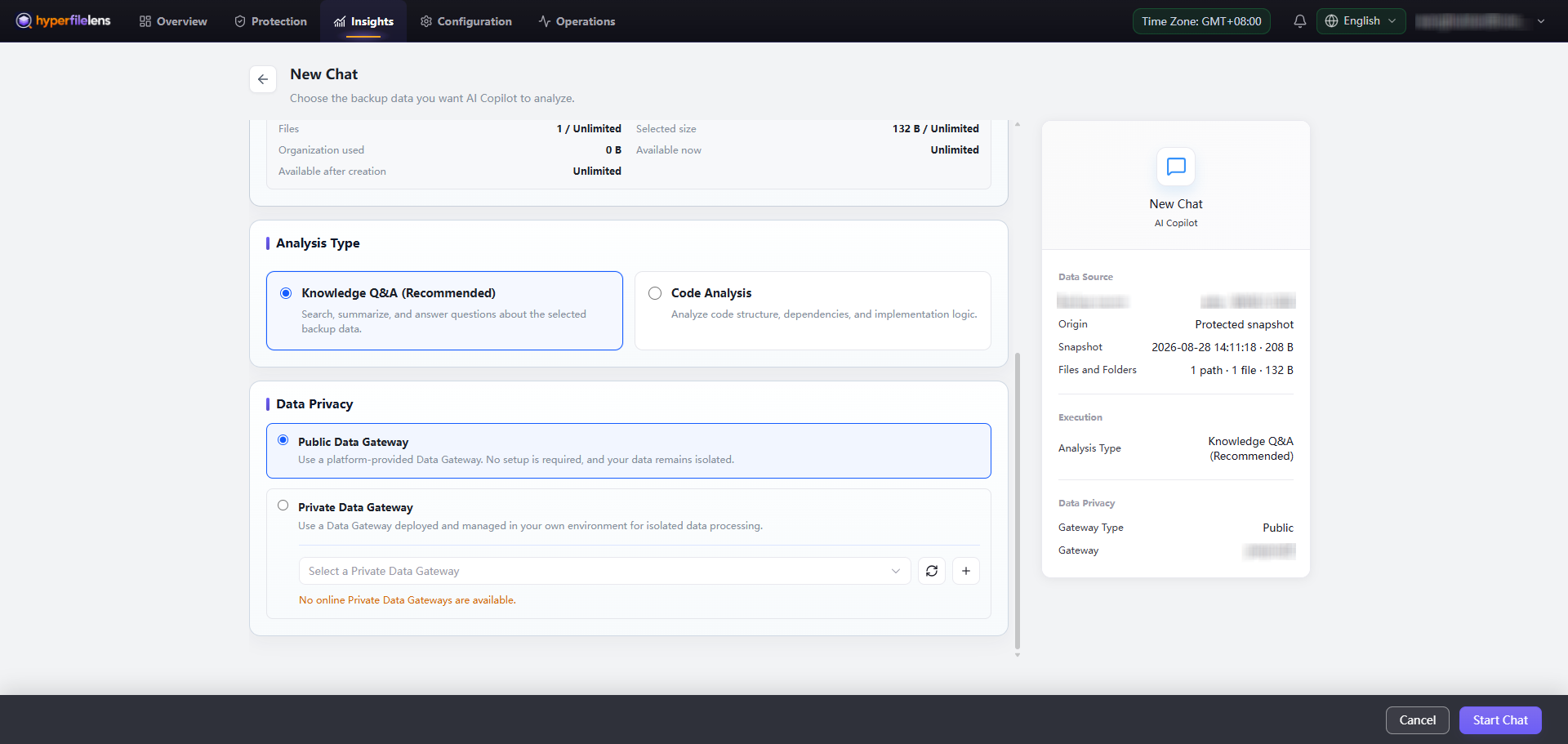
- Under Analysis Type, select Knowledge Q&A (Recommended).
- Under Data Privacy, select Public Data Gateway.
- Confirm the snapshot, file scope, and Public Data Gateway in the summary.
- Keep the Public Data Gateway selected for this test. A Private Data Gateway is not required.
Start the session
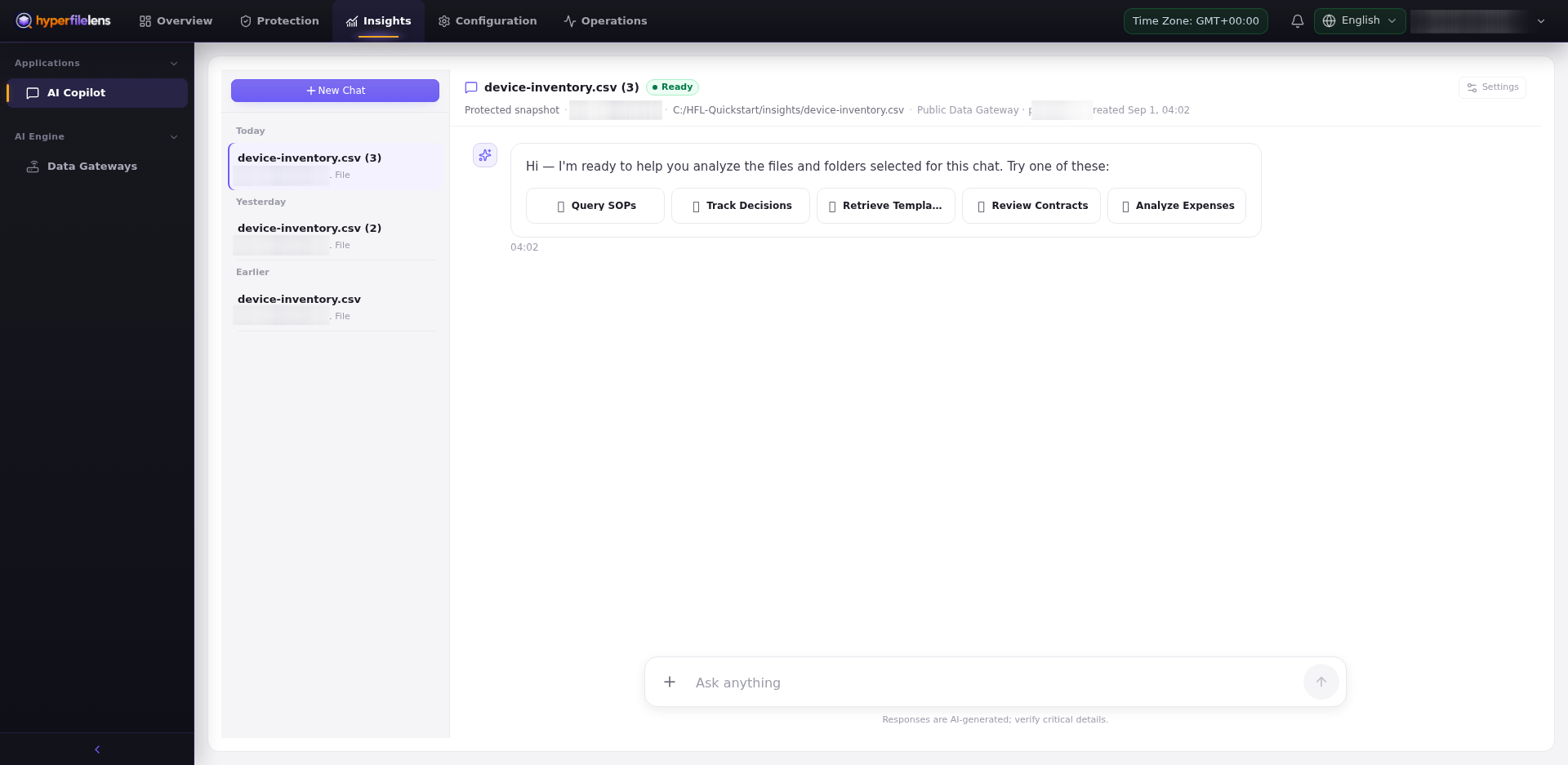
- Select Start Chat.
- Wait for data preparation to finish before sending a question.
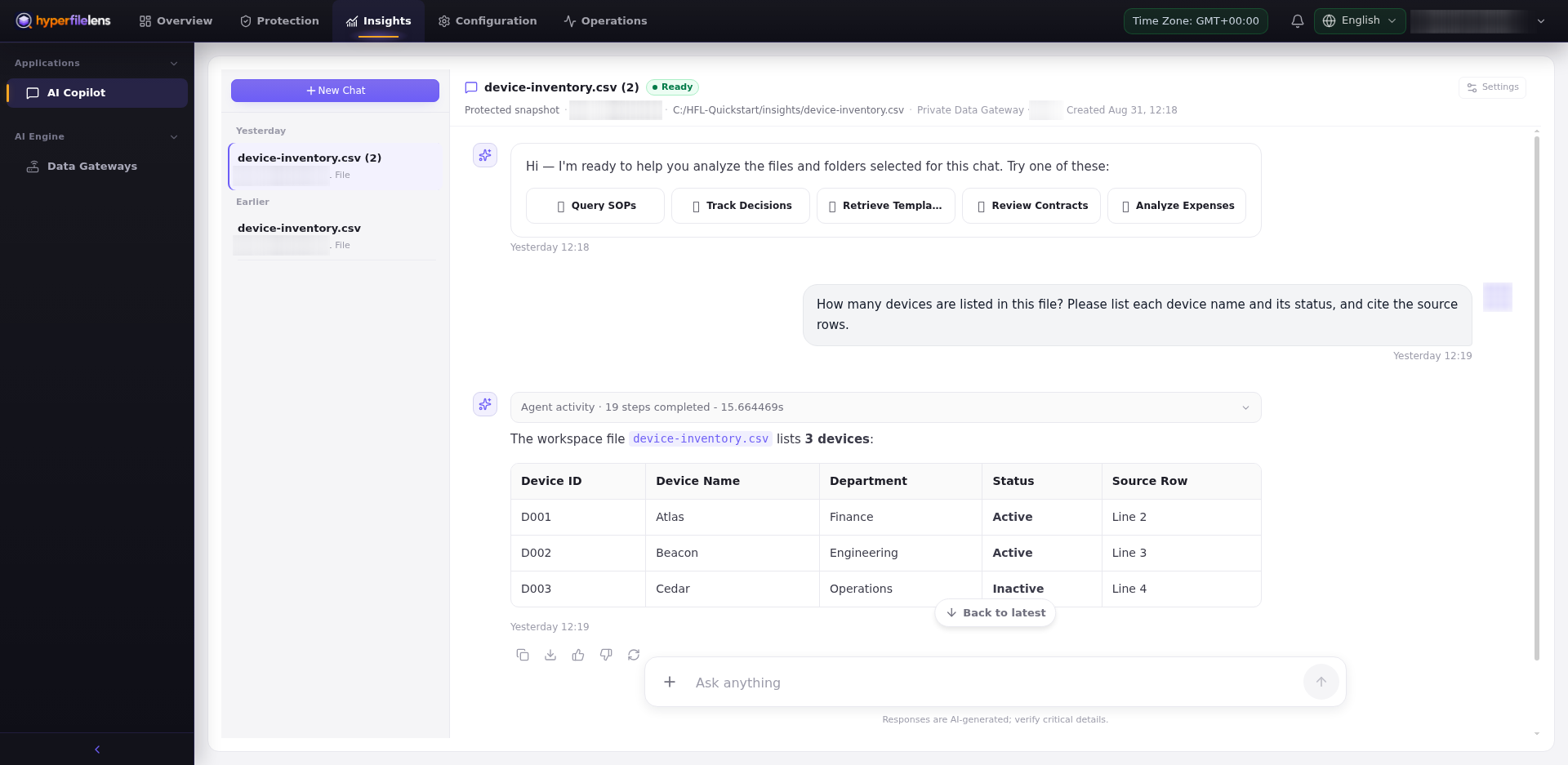
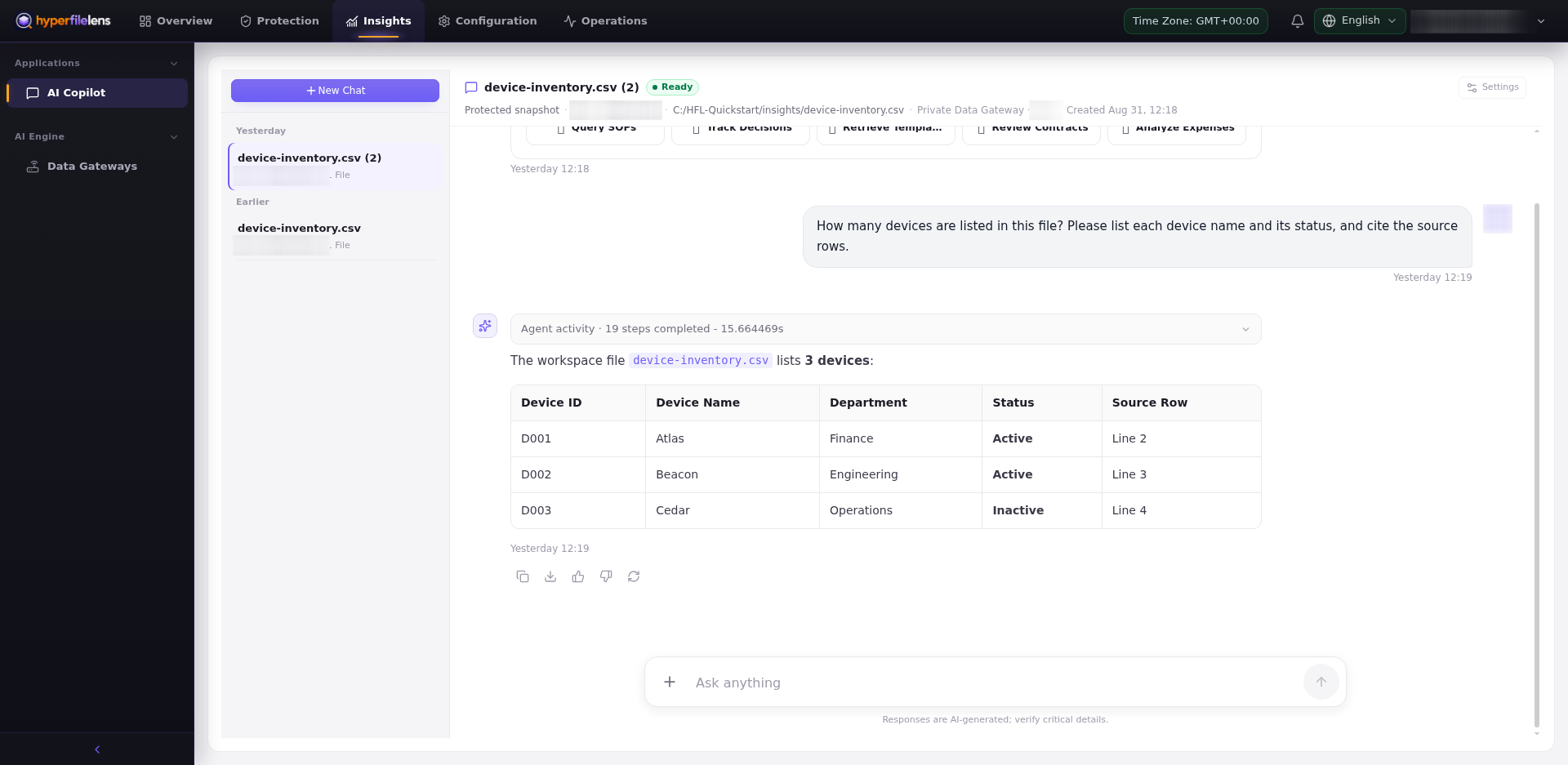
Start with a question that can be checked directly against the CSV file:
How many devices are listed in this file?
Please list each device name and its status.
The expected answer is three devices: Atlas (Active), Beacon (Active), and Cedar (Inactive). Confirm that the answer includes those names and statuses and provides citations to the selected CSV.
If the button is unavailable or preparation fails, check the snapshot, file scope, Public Data Gateway, and default AI model before retrying. Do not repeatedly submit the same request.
You have completed the first Insights test when the session is Ready, the answer lists the three devices and their statuses, and the citations point to rows 2–4 of device-inventory.csv.