

Backup and restore
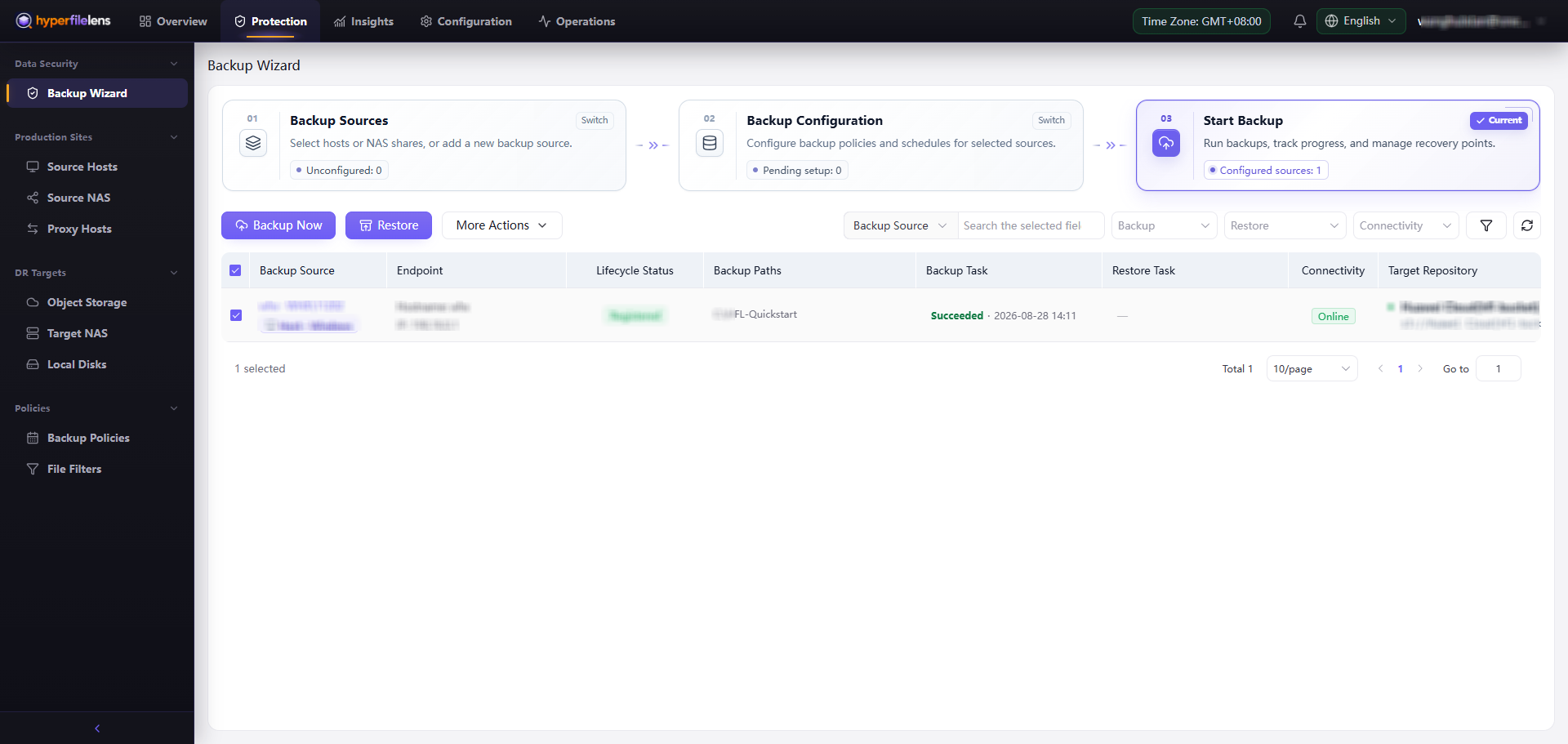
The HyperFileLens data-protection workflow starts with an accessible backup source. A backup configuration writes the selected data to target storage and creates snapshots. A restore test then confirms that the protected data can be recovered. A successful task means that the job finished; the snapshot contents and restore results show whether the expected data is available.
Workflow
- Manage backup sources and confirm that the Agent or Proxy is online and the intended folders can be browsed.
- Manage target storage, create a dedicated repository, and validate its connection.
- Create and run a backup, selecting its scope, repository, and run options.
- View tasks and snapshots to check both the task result and the files in the snapshot.
- Restore files and directories to an independent location and inspect the restored content.
- Recover data to a new host after source host failure when the original source host is permanently damaged or offline.
- After validating the basic path, configure policies and retention to meet the recovery point objective.
Three checks that matter
- The source is readable: The Agent or Proxy is online, and the selected folders exist and are readable.
- The target is writable: The object storage, NAS, or local repository passes validation and uses a dedicated location.
- The snapshot is recoverable: The task finishes, the snapshot contains the expected folders, and a restore test succeeds.
A Partially Succeeded task does not mean that all data is protected. Review failed directories, skipped items, and the amount of data captured before deciding whether the snapshot meets your recovery requirements.
Recommended first test
Use a small set of synthetic test files for the first end-to-end run. Do not begin with an entire system drive, a production share, or a large directory. The validation is complete when:
- the backup source and target repository are both Online;
- Backup Task is Succeeded;
- the snapshot is Available and contains the expected files;
- one test file can be restored to an independent directory and Restore Task is Succeeded;
- the restored file opens and matches the source content.