

Manage backup sources
A backup source is the entry point for protected data. HyperFileLens can protect files on a host running an Agent or access a NAS share through a Proxy.
Host files
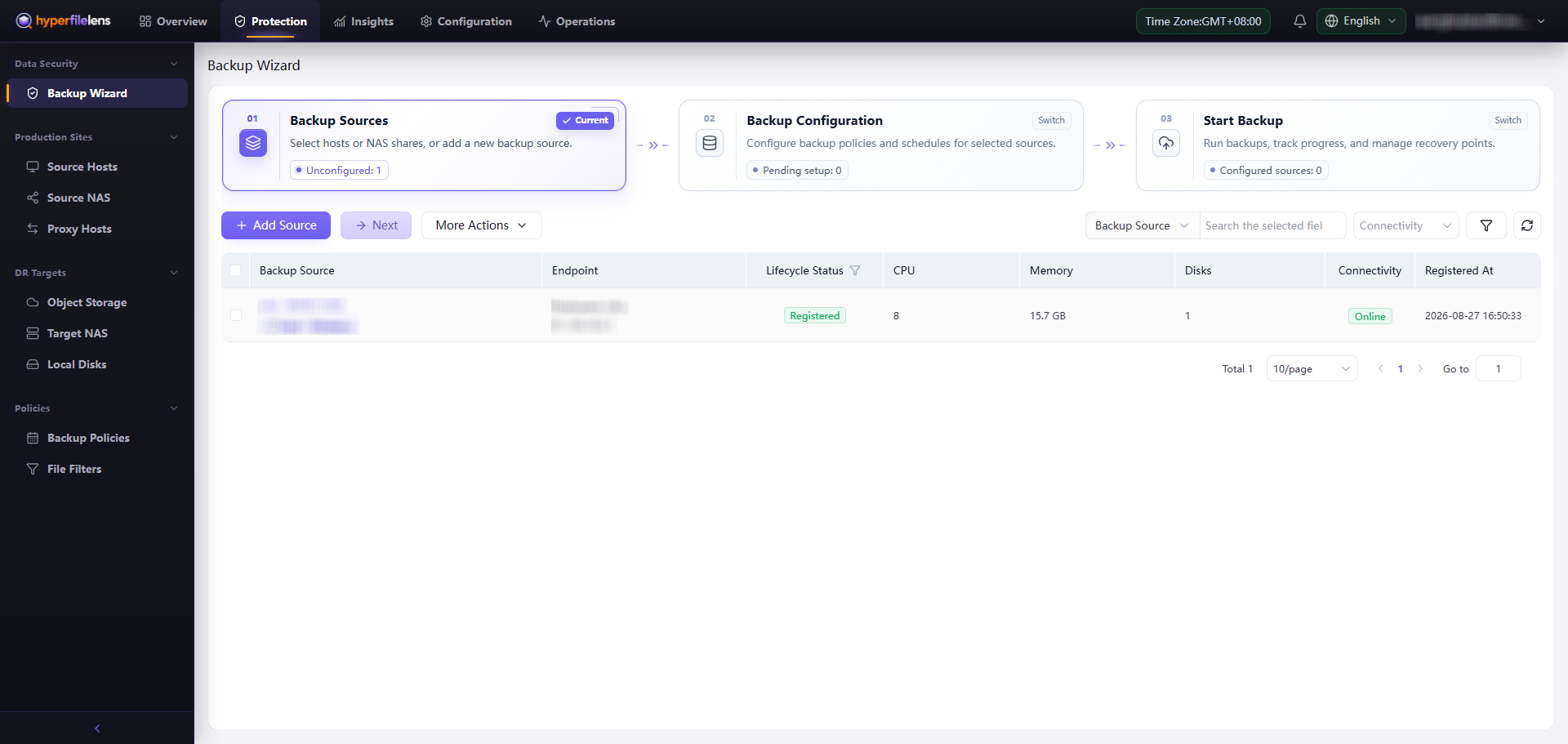
Deploy the Agent on a Linux, Windows, or macOS host. In the English interface, open Protection → Backup Wizard → Backup Sources, select Add Source → Source Host, choose the operating system, and run the displayed installation command on the destination host.
The installation command contains one-time registration information. Do not copy the full command into public documentation, issues, or chats. After the node connects, refresh the list and confirm:
- Lifecycle Status is Registered;
- Connectivity is Online;
- the host type and operating system are correct;
- the intended directory can be browsed during backup configuration.
Avoid selecting:
- operating-system pseudo filesystems, device files, or temporary mount points;
- folders the Agent account cannot read;
- large caches or reproducible data with no recovery value;
- overlapping root folders that include the same data more than once.
NAS shares
Select Add Source → NAS, configure the share protocol, address, and credentials, and choose a Proxy that can reach the share. Verify the path, protocol, credentials, and character set before saving. The Proxy must be able to connect to the NAS; access to the console alone is not sufficient.
If non-ASCII names appear incorrectly, check the Proxy mount character set and operating-system support. Do not work around the problem by renaming production files.
Routine checks
- Keep the Agent or Proxy online.
- Confirm that folders remain browsable after permission changes.
- Compare the selected scope with the intended protected data.
- Keep node versions compatible with the current control plane.
Backup configurations, tasks, snapshots, and restore records are associated with the source. If a host is temporarily offline, restore its Agent or network connectivity instead of registering a duplicate node. Never include installation commands or registration credentials in public troubleshooting material.