

Prepare a snapshot
Insights analyzes an existing backup snapshot, not the current files on the source host. Before creating a session, confirm that the snapshot is available and contains the version of the data you want to analyze.
1. Verify the snapshot
Open the backup source details and select Snapshot Points. Check:
- the snapshot status is Available;
- it belongs to the intended backup source and repository;
- its completion time represents the version you need;
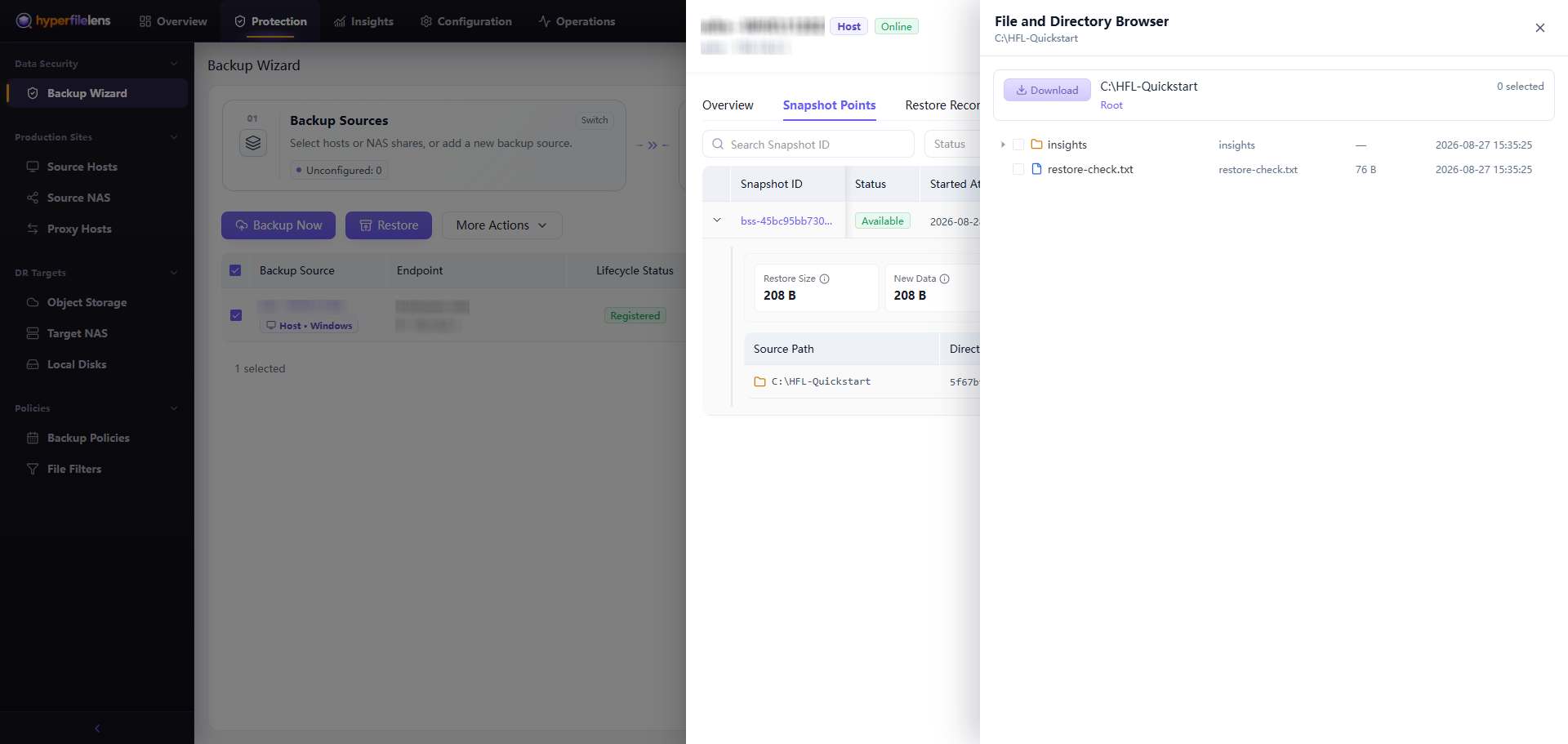
- the required files or directories can be browsed;
- backup policies and filters did not exclude required content.
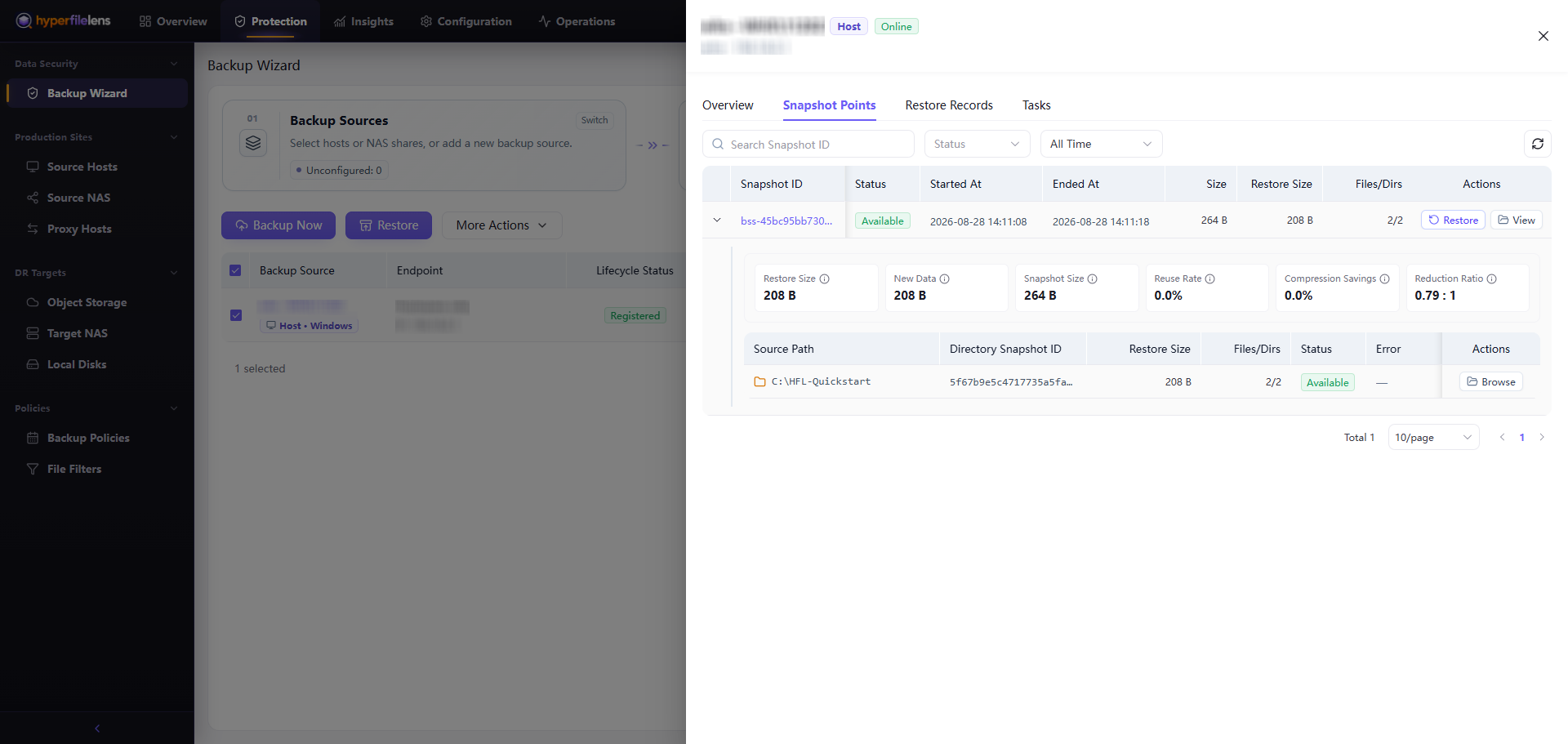
Select Browse Files and find a known file before opening Insights. A successful backup task without the required file is not a valid analysis source.
2. Limit the data scope
Choose only the files or folders needed for the question. A smaller, well-defined scope reduces preparation time, resource usage, and unrelated context.
Do not select directories containing credentials, private keys, access tokens, personal sensitive information, or customer data unless the organization has authorized that processing path. Snapshot protection does not by itself authorize AI processing.
3. Check prerequisites
An Insights session also requires:
- a ready default Agent model;
- a ready multimodal model when images or scanned documents must be understood;
- an available Public Data Gateway, or an online Private Data Gateway that can reach the repository;
- sufficient organization and gateway capacity.
If the creation page reports a missing prerequisite, resolve that condition before trying to create the session again.