

Manage target storage
Target storage holds backup repositories. Choose a storage type based on network access from the source, capacity, retention requirements, and restore performance.
Open Protection → Backup Wizard → Target Storage and select Add Repository. After creating a repository, assign it to a backup source; appearing in the repository list does not mean that a backup configuration already uses it.
Object storage
HyperFileLens supports AWS S3, Alibaba Cloud OSS, Huawei Cloud OBS, and supported S3-compatible services. Select the provider and configure the fields shown by the form.
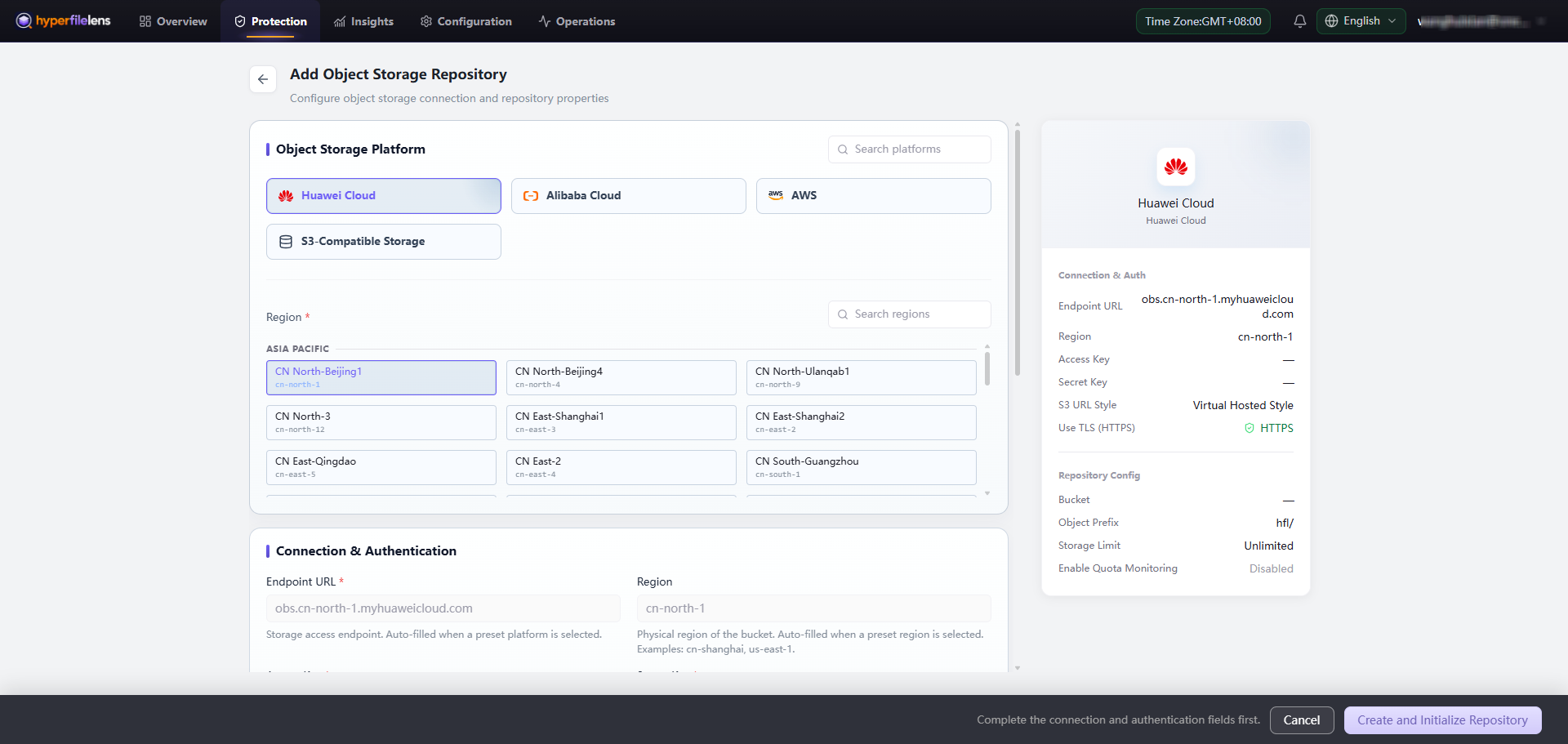
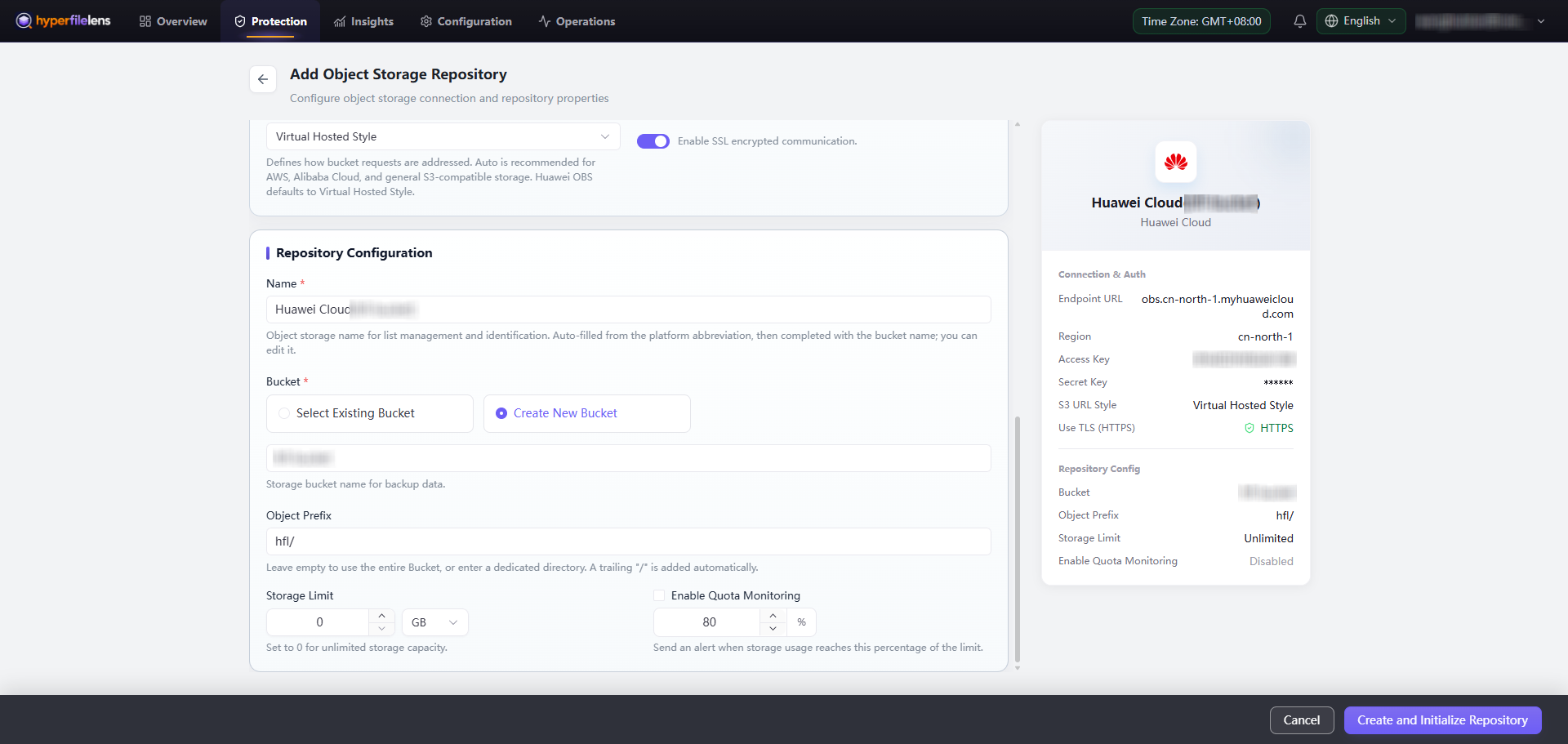
Object-storage settings commonly include Endpoint, Region, Bucket, Object Prefix, Access Key, and Secret Key. Grant credentials only the permissions required for the repository scope, and dedicate the object prefix to this HyperFileLens repository.
Access keys and secret keys are sensitive. Keep them out of screenshots, use synthetic values, or cover the entire value with an opaque block. Blurring is not a safe way to hide credentials.
NAS
Configure a NAS target through a Proxy that can mount the share and provide repository access. The source, Proxy, and NAS must be able to communicate over the network and have the required protocol permissions.
Proxy local disk
Choose a dedicated absolute path on the Proxy. Do not use a system temporary directory, another application's directory, or a location that already contains user data. Reserve enough capacity for snapshot growth and restore operations.
Validate the repository
Before using the repository, confirm:
- connection and write validation succeed;
- the storage location is not already used by another repository;
- credentials, TLS, DNS, and system time are correct;
- capacity covers expected growth and retention.
Return to Target Storage, confirm that Connectivity is Online, and then assign the repository under Backup Configuration.
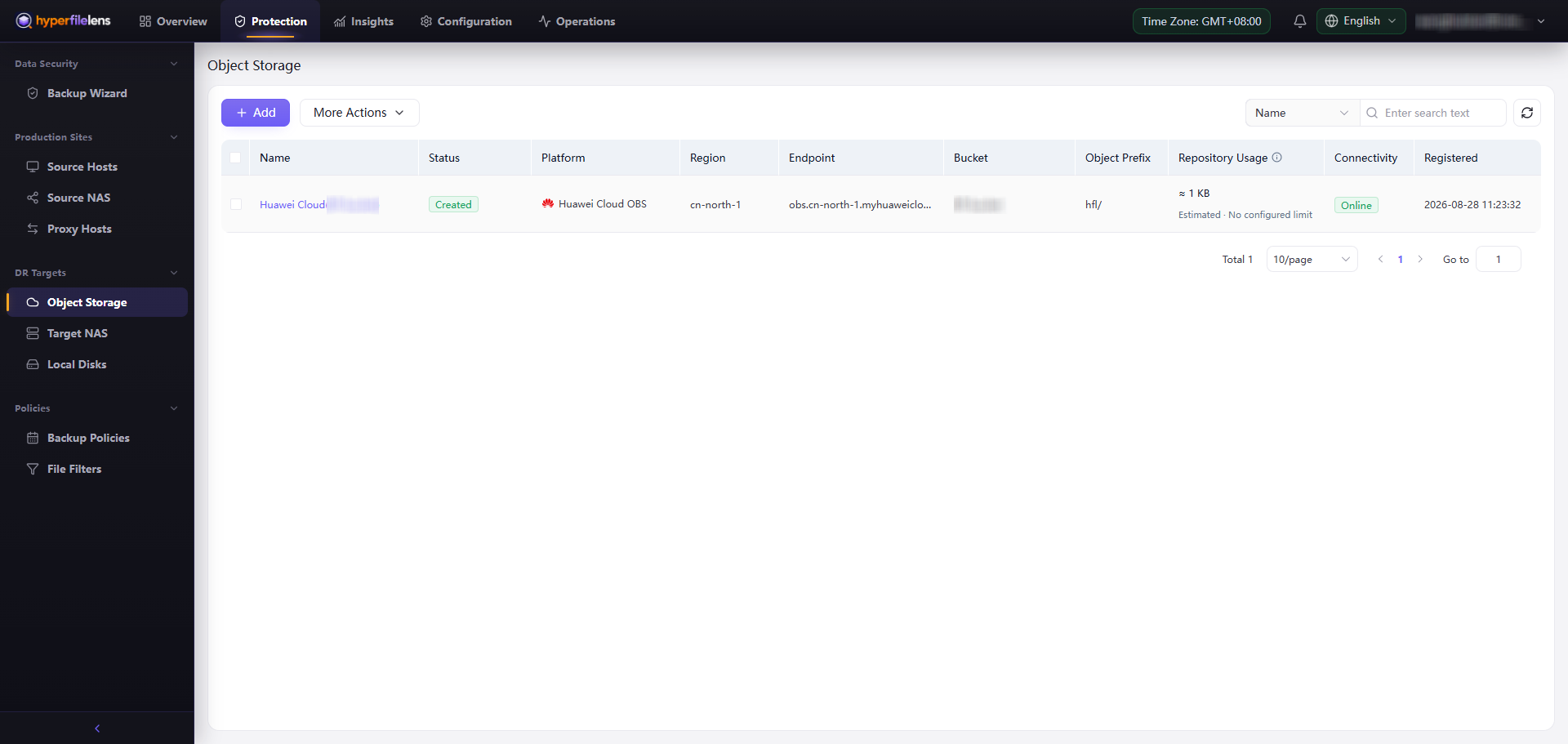
If validation fails, check the endpoint, region, credential scope, TLS, DNS, system time, and the network path from the source or Proxy. Do not create multiple repository records for the same bucket and object prefix.